



Hyundai Digital Key 2: Your Smartphone Is Now Your Hyundai Key
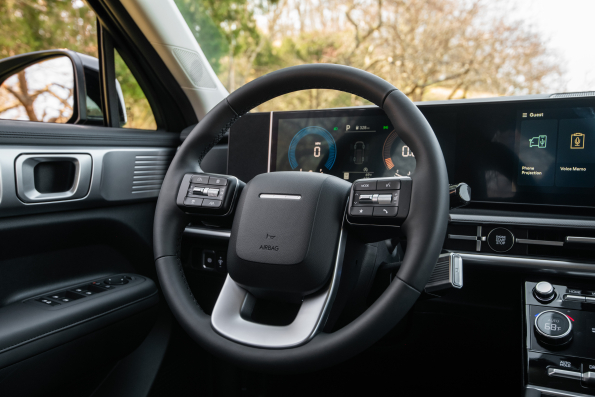
Your smartphone already helps you manage your schedule, stay connected, and handle everyday tasks. Now, it can do something even more convenient, help you access and control your Hyundai.
What Is Hyundai Digital Key 2?
Hyundai Digital Key 2 is an advanced smartphone-based vehicle access system that allows you to use your compatible smartphone or smartwatch as your vehicle key.
Instead of carrying a separate key fob, your Hyundai can recognize your registered device and provide convenient access to your vehicle. Through secure communication technology, Digital Key 2 allows you to:
- Lock and unlock your Hyundai
- Start your vehicle using your smartphone
- Share digital access with family or friends
- Save personalized driver preferences
- Enjoy a more connected driving experience
Think of it as your traditional key upgraded for the digital age smarter, more convenient, and always within reach.
How to Set Up Hyundai Digital Key 2
Getting started with Hyundai Digital Key 2 is designed to be straightforward.
Step 1: Set Up Your Hyundai Account
Make sure your Hyundai account and connected services are active.
Step 2: Download the MyHyundai App
Install the app on your compatible smartphone and sign in.
Step 3: Open Digital Key Settings
Access the Digital Key section and begin the setup process.
Step 4: Connect Your Smartphone
Follow the instructions to pair your phone with your Hyundai.
Step 5: Start Using Your Digital Key
Which Hyundai Vehicles Offer Hyundai Digital Key 2?
Hyundai Digital Key 2 is available on select Hyundai vehicles, depending on the model year and trim level.
Compatible models may include:
Hyundai Sonata
Hyundai Santa Fe
Hyundai Tucson
Hyundai IONIQ 5
Hyundai IONIQ 6
Hyundai IONIQ 5 N
Hyundai Palisade
Hyundai Kona
Hyundai Santa Cruz
Availability can vary, so drivers should check specific vehicle configurations to find the Hyundai Digital Key 2 features they want.
How Does Hyundai Digital Key 2 Work?
Hyundai Digital Key 2 uses advanced wireless technology to connect your smartphone with your vehicle. Once your device is paired, your Hyundai can securely recognize it and provide access when you need it.
The system uses technologies like Near Field Communication (NFC) and Ultra-Wideband (UWB) to create a seamless connection between your smartphone and your vehicle.
NFC Technology: Simple Smartphone Access
Near Field Communication allows your smartphone to communicate with your Hyundai when it is placed close to the vehicle.
With NFC functionality, drivers can:
- Tap their smartphone near the door handle to unlock the vehicle
- Use their phone as a digital key
- Start their vehicle after entering
It provides a simple way to access your Hyundai without needing to carry a traditional key.
Ultra-Wideband Technology: A More Seamless Experience
Hyundai Digital Key 2 takes convenience even further with Ultra-Wideband technology in compatible versions.
Unlike traditional key systems that require you to press a button or physically use a key fob, UWB technology can detect when your smartphone is nearby.
That means your Hyundai can recognize you as you approach, creating a more natural and effortless entry experience.
Hyundai Digital Key 2 Features That Make Every Drive Easier
Smartphone Integration at Your Fingertips
One of the biggest advantages of Hyundai Digital Key 2 is that it works with devices many drivers already use every day.
Compatible smartphones and smartwatches can store your digital key, allowing you to access your Hyundai without carrying another device.
Your phone is already with you everywhere you go—now it can help you stay connected to your vehicle, too.
Lock, Unlock, and Start Without a Traditional Key
Forgetting where you placed your key fob can become a thing of the past.
With Hyundai Digital Key 2, you can enjoy convenient access by using your smartphone to:
- Unlock your doors
- Start your vehicle
- Get moving without searching for keys
Picture this: You are walking out of the grocery store with your hands full of bags. Instead of digging through your pockets or purse, your smartphone gives you quick access to your Hyundai.
Small moments like these are where Digital Key 2 makes a big difference.
Personalized Settings for a More Comfortable Drive
Unlock a driving experience tailored just for you with Hyundai Digital Key 2, an innovative technology that personalizes every ride. Imagine effortlessly saving your preferred driver seat position, mirror adjustments, climate settings, and audio preferences with just a touch. Whether you’re sharing the car with family or friends, each driver can easily create their own comfort zone, transforming every journey into a customized adventure. Plus, when you need to let a family member or friend use your Hyundai, Digital Key 2 allows you to share digital access without making extra copies of physical keys, making it especially useful for families with multiple drivers or for providing temporary access. You remain in control of your vehicle by managing who has access and adjusting permissions as needed, ensuring that every trip feels like it was designed just for you.
Hyundai Digital Key vs. Hyundai Digital Key 2: What Changed?
Hyundai has continued improving its digital key technology to make vehicle access more convenient and connected.
More from Southern Hyundai Newport News
Should You Choose The Elantra N Line?
Photo Source/Copyright: Edmunds N Line or N? One letter, two very different cars, and the showroom floor doesn’t always make that distinction obvious. The Hyundai Elantra N Line is the sport trim of the standard compact sedan, tuned and equipped for drivers who want responsive handling on their daily commute. The N is a…
Secrets Behind Hyundai Kona Gas Mileage Revealed
Photo Source/Copyright: Hyundai USA If you’re shopping for a subcompact crossover, odds are high that fuel economy sits right at the top of your checklist. The Hyundai Kona addresses this need directly with a headline figure of 31 miles per gallon (MPG) combined (and up to 35 MPG on the highway) in its…
Hyundai Santa Fe Interior Size: Full Guide
Photo Source/Copyright: Hyundai USA Three rows in a midsize SUV usually means somebody’s knees pay for it. Hyundai took a distinct route with the Santa Fe: a squared-off roofline, upright rear glass, and a tailgate opening wide enough to swallow a flat-pack bookshelf without any wrestling. Shoppers researching Hyundai Santa Fe interior size…